
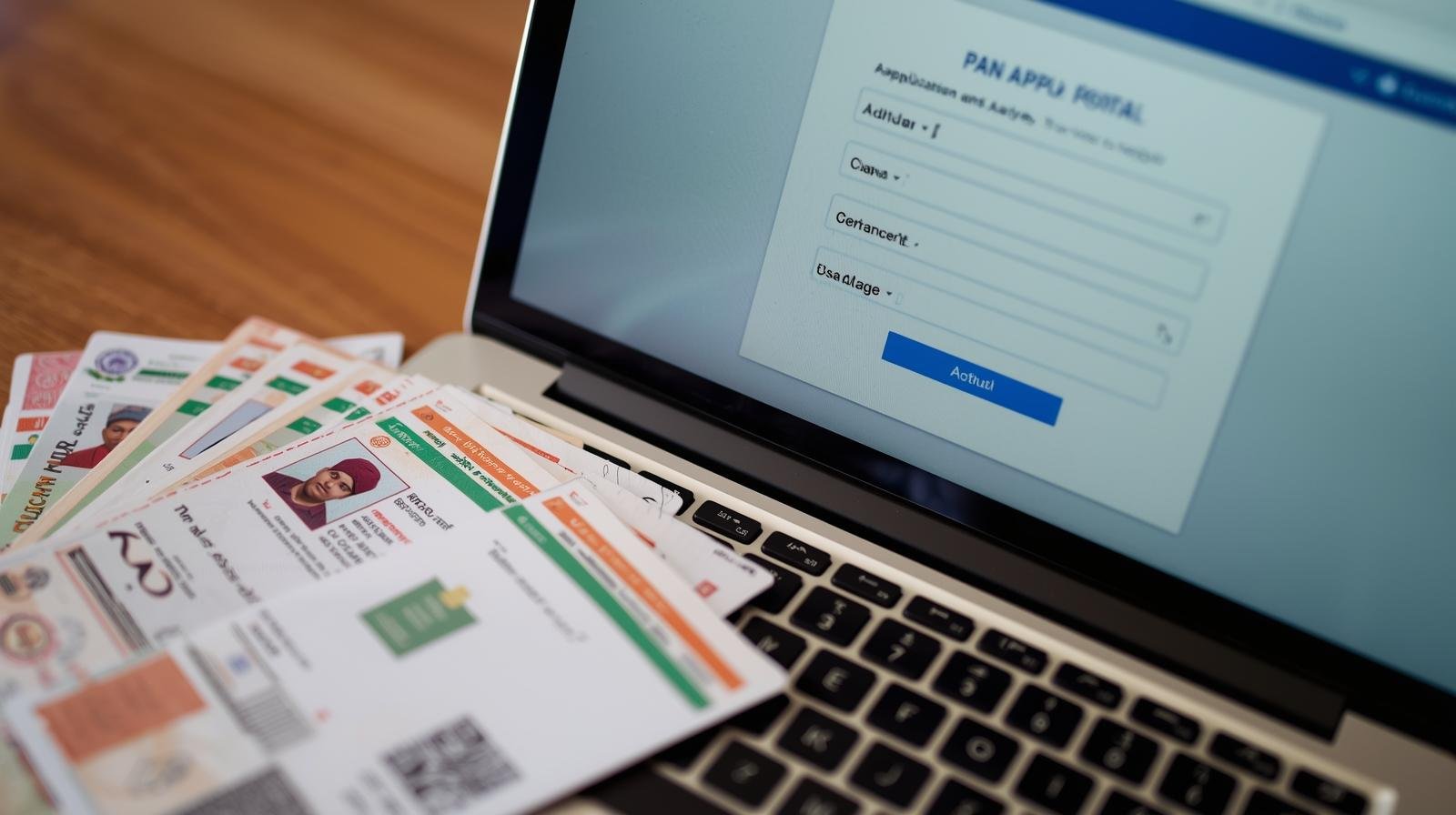
A PAN (Permanent Account Number) is a unique 10-digit alphanumeric identifier issued by the Income Tax Department of India and is mandatory for filing taxes, opening bank accounts, investing, and conducting high-value financial transactions. In 2026, you can apply for a PAN card online through three official methods — Instant e-PAN (free, Aadhaar-based), Protean/NSDL Portal, or UTIITSL Portal. This guide covers every step, the new April 2026 rules, correct forms, fees, documents, and status tracking — everything you need in one place.
Quick Facts:
- 3 Official Methods
- Instant e-PAN — Free
- Physical PAN — ₹107
- Delivery: 7–15 Working Days
- New Rules: Form 93 from Apr 2026
- Aadhaar-only: No longer accepted
Stats:
- 10 Digits — Alphanumeric PAN
- FREE — Instant e-PAN
- ₹107 — Physical Card
- 15 Min — e-PAN Issued
- 7–15 Days — Physical Delivery
- Form 93 — New from Apr 2026
01. What is a PAN Card & Why Do You Need It?
Issued by Income Tax Department under CBDT — mandatory for all major financial activities
A Permanent Account Number (PAN) is a unique, 10-character alphanumeric code (e.g., ABCDE1234F) assigned to every taxpayer in India by the Income Tax Department under the Central Board of Direct Taxes (CBDT). It serves as your universal financial identity — linking all your tax payments, investments, and high-value transactions to a single record that the government can track for compliance purposes.
- Filing Income Tax Returns (ITR): PAN is the primary identifier for filing ITR. Without it, you cannot submit your annual tax return, and any refund due to you cannot be processed by the IT Department.
- Opening a Bank Account: All banks — public, private, cooperative — require PAN or Form 60 (for those exempt) to open a savings or current account. PAN is also mandatory for fixed deposits above ₹50,000.
- Investing in Stocks, Mutual Funds & Bonds: PAN is mandatory for KYC compliance with SEBI-registered brokers, mutual fund houses, and all investment platforms. Without PAN, you cannot trade on NSE/BSE or invest in mutual funds.
- Buying or Selling Property: PAN must be quoted for property transactions above ₹20 lakh (new 2026 threshold, raised from ₹10 lakh). Applicable for both buyer and seller.
- Vehicle Purchases & Other High-Value Transactions: PAN required for vehicle purchases above ₹5 lakh. Also mandatory for hotel bills above ₹1 lakh, foreign exchange above ₹50,000, and cash deposits/withdrawals above ₹50,000 in a single day.
- Receiving Salary / Business Payments: Employers require PAN for TDS (Tax Deducted at Source) deduction from salary. Freelancers, contractors, and business owners need PAN for all professional fee payments where TDS is applicable.
Penalty for Not Having PAN
Under Section 272B of the Income Tax Act, failing to obtain PAN when required, or providing a false PAN, attracts a penalty of ₹10,000. Having two PAN cards simultaneously is also a criminal offence under the same section.
02. New PAN Card Rules from April 2026
Biggest overhaul in years — mandatory changes for all new applications from 01 April 2026
| What Changed | Before April 2026 | From 1 April 2026 |
|---|---|---|
| Application Form | Form 49A (Indian citizens), Form 49AA (Foreign citizens) | Form 93 (Indian citizens), Form 95 (Foreign citizens), New Form 94 (specific categories) |
| Documents Required | Aadhaar alone was sufficient as identity + address + DOB proof | Aadhaar + additional document mandatory (Voter ID / Passport / Birth Certificate / Driving Licence / Class 10 Certificate) |
| Name on PAN Card | Applicant could choose how name appears (custom spelling allowed) | Name must exactly match Aadhaar records — no customisation. Mismatch may cause PAN deactivation |
| Property PAN Threshold | PAN mandatory for property above ₹10 lakh | PAN mandatory for property above ₹20 lakh |
| Vehicle PAN Threshold | Vehicles above ₹5 lakh (some states varied) | Vehicle purchases exceeding ₹5 lakh — now standardised nationally |
| Hotel Bill PAN Threshold | No specific threshold mentioned | PAN mandatory for hotel bills above ₹1 lakh |
Critical — Check Your Aadhaar Before Applying
- Verify your name spelling, date of birth, and address in Aadhaar before applying for PAN — any mismatch now causes rejection or deactivation
- If your Aadhaar has an incorrect name or DOB, update it first at uidai.gov.in before proceeding with PAN application
- Applications filed using old Form 49A on or after April 1, 2026 will not be processed
- Existing valid PAN cards are not affected — only new applications and corrections use the new forms
03. Which Method Should You Choose?
Three official routes — choose based on your eligibility and whether you need a physical card
Method 1: Instant e-PAN — FREE (₹0)
Via Income Tax e-filing portal. Paperless, Aadhaar-based, issued in minutes. No documents to upload. No fee.
For: Individual Indian citizens 18+ with Aadhaar linked to active mobile. Not for NRIs, HUFs, companies, firms.
Method 2: Protean (NSDL) Portal — ₹107 (Physical) / ₹72 (e-PAN only)
Via onlineservices.proteantech.in. For individuals, HUF, companies, firms, NRIs. Physical card posted to address.
For: All applicants — individuals, HUF, NRI, companies, trusts, firms needing physical laminated PAN card.
Method 3: UTIITSL Portal — ₹107 (Physical) / ₹72 (e-PAN only)
Via www.pan.utiitsl.com. Equally authorised by Income Tax Dept. Same fees and process as Protean. Choose either.
For: Same as Protean — all individual and non-individual applicants requiring physical PAN card.
Which One is Right for You?
- Need PAN urgently and you’re an individual with Aadhaar-linked mobile? → Use Instant e-PAN (free, issued in minutes)
- Need a physical laminated PAN card delivered by post? → Use Protean or UTIITSL (₹107, 7–15 working days)
- Applying for HUF, company, firm, trust, or NRI? → Must use Protean or UTIITSL (Instant e-PAN not available)
- Want e-PAN only (no physical card) at a fee? → Choose e-PAN option on Protean/UTIITSL (₹72)
04. PAN Card Application Fee (2026)
Fee varies by card type and delivery address — pay via Net Banking, UPI, Credit/Debit Card
- Instant e-PAN: FREE — Income Tax Portal — PDF via Aadhaar OTP only, individuals only
- Physical PAN Card: ₹107 — Indian Address Delivery — includes GST, via Protean or UTIITSL
- e-PAN Only (No Physical): ₹72 — PDF to Email (Protean/UTIITSL) — includes GST, same legal validity as physical
- Foreign Address Delivery: ₹1,017 — NRI — Physical Card Abroad — includes international courier charges + GST
| Mode | Physical PAN (India) | e-PAN Only | Physical PAN (Foreign) |
|---|---|---|---|
| Paperless (e-KYC + e-sign) | ₹101 | ₹66 | ₹1,017 |
| Physical document submission | ₹107 | ₹72 | ₹1,017 |
All fees are inclusive of GST. Base fee is ₹91 (Indian) and ₹862 (foreign) excluding GST as per official IT Dept website.
05. Documents Required (April 2026 Rules)
Aadhaar alone no longer sufficient — additional document mandatory from 1 April 2026
Proof of Identity (Any One)
- Aadhaar Card (UIDAI issued)
- Voter ID Card
- Passport
- Driving Licence
- Bank Certificate with photo (signed by branch manager)
- Arms Licence
- Pensioner card with photo
- Central/State Govt issued photo identity card
Proof of Date of Birth (Any One)
- Birth Certificate (Municipal/Gram Panchayat)
- Class 10 / Matriculation Certificate
- Passport (DOB page)
- Driving Licence
- Affidavit sworn before a Magistrate
- Central/State Govt issued certificate
- Domicile Certificate issued by Govt
Proof of Address (Any One)
- Aadhaar Card
- Voter ID Card
- Passport
- Driving Licence
- Bank Account Statement (last 3 months)
- Post Office Passbook
- Electricity/Water/Gas/Landline Bill (last 3 months)
- Property Tax receipt
Other Documents (for physical card)
- 2 recent passport-size photographs (3.5cm × 2.5cm)
- Scanned signature (for digital submission)
- Active mobile number (linked to Aadhaar for OTP)
- Active email address for communications
- For Instant e-PAN: No documents needed — only Aadhaar + OTP
Important — Name Matching Rule (from April 2026)
Your name on the PAN application must exactly match your Aadhaar card. The Income Tax Department has removed the option to print a different name on PAN. If your Aadhaar has an incorrect or outdated name, update it at uidai.gov.in → My Aadhaar → Update Aadhaar before applying. Any mismatch may result in rejection or deactivation of the issued PAN.
06. Method 1: Instant e-PAN via Income Tax Portal (Free)
Paperless, free, issued in minutes — for individuals with Aadhaar-linked mobile only
Eligibility for Instant e-PAN
- Individual Indian citizen aged 18 years or above
- Must have a valid Aadhaar number from UIDAI
- Mobile number must be actively linked to Aadhaar (OTP will be sent)
- Must not already have a PAN — if PAN exists linked to Aadhaar, cannot apply again
- Not eligible: NRIs, HUFs, firms, companies, trusts, minors, representative assessees
Step 1: Visit Income Tax e-Filing Portal
Go to incometax.gov.in → Scroll to “Quick Links” section on the homepage → Click “Instant e-PAN”.
Step 2: Select “Get New e-PAN”
On the Instant e-PAN page, click “Get New e-PAN”. (If you want to check status of an existing request, click “Check Status / Download PAN”.)
Step 3: Enter Your 12-Digit Aadhaar Number
Type your 12-digit Aadhaar number carefully. Tick the checkbox to accept terms and conditions. Click “Continue”.
Step 4: Verify with Aadhaar OTP
An OTP is sent to your Aadhaar-registered mobile number. Enter the OTP within the time limit and click “Validate Aadhaar OTP”.
Step 5: Review Auto-Fetched Details
Your Name, Date of Birth, Gender, Address, and Photograph are automatically fetched from UIDAI Aadhaar database. Verify all details carefully.
Step 6: Submit & Download e-PAN PDF
Confirm the details and click “Submit”. Your e-PAN is generated immediately — you receive an Acknowledgement ID. Download the digitally signed PDF e-PAN from the portal. It is valid everywhere — no physical card needed for most purposes.
Instant e-PAN Notes
- e-PAN is a digitally signed PDF bearing your PAN — equally valid as a physical laminated card
- If you later want a physical laminated PAN card, you can order one from NSDL (onlineservices.nsdl.com → Reprint) for approximately ₹50
- If Aadhaar has incorrect details (name/DOB/gender), Instant e-PAN will fetch wrong data — update Aadhaar first
07. Method 2: Apply via Protean (NSDL) Portal — Physical PAN Card
For all applicants needing a physical laminated card — ₹107 (Indian address)
Step 1: Visit the Protean PAN Portal
Go to onlineservices.proteantech.in/paam/endUserRegisterContact.html
Step 2: Select Application Type & Form
Under “Application Type” select “New PAN – Indian Citizen (Form 93)” (from April 2026) or “New PAN – Foreign Citizen (Form 95)”. Select your Category (Individual / HUF / Company / Firm etc.), title, and enter your name, date of birth, email, and mobile number. Solve CAPTCHA and click “Submit”.
Step 3: Note Your Token Number
A Token Number is sent to your registered email. Note it down. Click “Continue with PAN Application Form” to proceed to the detailed form.
Step 4: Select Document Submission Mode
Choose one of three modes: (a) e-KYC using Aadhaar OTP — fully paperless, no documents to post; (b) e-sign using scanned images — upload scanned documents; (c) Physical submission — print and post documents to NSDL. e-KYC mode is fastest and cheapest. Also confirm if you want a physical PAN card or e-PAN only.
Step 5: Fill the Complete Application Form
Enter all mandatory details: Personal details (name, DOB, gender), Contact details (address, email, mobile), AO Code (Area Code for your jurisdiction — use “Know your AO” on incometax.gov.in), Parent details, and Document details. For April 2026 onward, enter your Aadhaar number and additional document details.
Step 6: Upload Documents & Photo
Upload scanned copies in JPG/PNG format, under 50KB each: Proof of Identity, Proof of Date of Birth, Proof of Address, Aadhaar Card, 2 Passport-size Photographs, Signature. Ensure files are clear and fully legible.
Step 7: Pay the Application Fee
Review your application carefully, then proceed to payment. Pay ₹107 (physical card, Indian address) or ₹72 (e-PAN only) via Net Banking, UPI, Credit Card, or Debit Card through BillDesk or PayU gateway. Save the payment confirmation.
Step 8: Complete e-Verification or Post Documents
If e-KYC/e-sign mode: Enter Aadhaar OTP — fully complete, no physical posting required. Your 15-digit Acknowledgement Number is generated.
If Physical mode: Print the form, affix 2 photographs, sign on the designated space, attach photocopies of all documents, and send to Income Tax PAN Services Unit, Protean eGov Technologies, 5th Floor, Mantri Sterling, Plot No. 341, Model Colony, Near Deep Bungalow Chowk, Pune – 411016 within 15 days of applying online.
Step 9: Receive PAN Card
After verification, your PAN is processed. Physical card is dispatched to your registered address via India Post Speed Post within 7–15 working days. e-PAN PDF is emailed to your registered email ID. Your PAN number is also sent via SMS/email.
08. Method 3: Apply via UTIITSL Portal
Equally authorised by Income Tax Dept — same fee and process as Protean
Step 1: Visit UTIITSL Official Portal
Go to www.pan.utiitsl.com → Click “PAN Card for Indian Citizen / NRI” or “PAN Card for Foreign Citizen” tab as applicable.
Step 2: Select Application Type
Click “Apply for New PAN Card (Form 93)” for Indian citizens (from April 2026). Select the mode of document submission (physical or paperless) and PAN Card mode (physical card or e-PAN only). Click “Submit”. Note your Reference Number.
Step 3: Fill Personal & Document Details
Enter all required information — personal details, contact information, Aadhaar number, and details of your additional supporting documents (Voter ID / Passport / Birth Certificate as applicable from April 2026 rules). Upload scanned documents and photograph.
Step 4: Pay Fee & Submit
Pay ₹107 (physical + Indian address) or ₹72 (e-PAN only) via online payment. On successful payment, an Acknowledgement Slip with 15-digit number is displayed and emailed. Save or print this.
Step 5: Send Documents (if Physical Mode) or Verify via Aadhaar OTP
Paperless mode: e-sign using Aadhaar OTP — no physical documents to send. Physical mode: Print acknowledgement, affix photos, sign, attach documents and send to your nearest UTIITSL office within 15 days.
09. How to Track PAN Card Application Status
Use your 15-digit acknowledgement number to track in real time
- Track Instant e-PAN Status (Income Tax Portal): Go to incometax.gov.in → Quick Links → Instant e-PAN → Check Status/Download PAN. Enter your 12-digit Aadhaar number → OTP verification → View status and download e-PAN PDF if allotted.
- Track Protean (NSDL) Application Status: Visit tin.tin.nsdl.com → Know Status of PAN/TAN Application. Enter your 15-digit Acknowledgement Number and date of birth. You can also enter your PAN number if already allotted to check dispatch status.
- Track UTIITSL Application Status: Visit www.pan.utiitsl.com → Track PAN Card Status. Enter your Acknowledgement Number or Coupon Number or PAN number and date of birth to check current processing status.
- SMS Status Check: Send SMS: NSDLPAN <15-digit Acknowledgement Number> to 57575. You will receive an SMS reply with the current status of your PAN application.
| Status Message | Meaning |
|---|---|
| Application under process | Your application is received and being verified — no action needed |
| Application under verification at TIN-FC | Physical documents are being verified at the NSDL/UTIITSL facility |
| PAN allotted | Your PAN number has been assigned — physical card being printed |
| PAN dispatched | Physical card printed and dispatched via India Post — track with consignment number |
| Application rejected | Application rejected due to document mismatch or ineligibility — re-apply with correct documents |
10. PAN Card Correction, Update & Reprint
Lost PAN, wrong details, or need a duplicate — all can be done online
- Correction or Changes in Existing PAN Data: Visit onlineservices.proteantech.in or www.pan.utiitsl.com → Select “Changes or Correction in existing PAN data / Reprint of PAN Card” → Enter your existing PAN number → Fill only the fields that need changing → Upload supporting documents → Pay ₹107 (Indian address). Updated PAN dispatched in 15 working days.
- Reprint Lost or Damaged PAN Card: If your PAN number exists but you need a fresh physical card: Visit onlineservices.nsdl.com → Reprint of PAN Card or UTIITSL Reprint service. Enter your PAN number + Aadhaar → Verify OTP → Pay ₹50 → Physical card dispatched in 7–15 days. You can also download e-PAN for free anytime from incometax.gov.in.
- Link PAN with Aadhaar: Visit incometax.gov.in → Quick Links → Link Aadhaar. Enter PAN and Aadhaar number → Verify OTP. PAN-Aadhaar linking is mandatory — unlinked PANs have been made inoperative. A late fee applies for linking after the deadline.
- Surrendering Duplicate PAN (if you have two): Having two PANs is illegal (penalty ₹10,000 under Section 272B). To surrender duplicate PAN: Write to your Jurisdictional Assessing Officer (JAO) or use the NSDL portal to submit a request for PAN cancellation. Keep only one PAN — always check before applying for new PAN.
11. Common Mistakes to Avoid
These errors cause rejection, delays, or PAN deactivation — avoid them
| # | Common Mistake | How to Avoid |
|---|---|---|
| 1 | Applying through a third-party agent/website paying ₹500–₹1,000 | Always use only the three official portals: incometax.gov.in, onlineservices.proteantech.in, or www.pan.utiitsl.com. The process is free/low-cost and simple to do yourself |
| 2 | Name mismatch between PAN application and Aadhaar | Verify your Aadhaar name before applying. Update Aadhaar if incorrect. From April 2026, PAN name must exactly match Aadhaar — no exceptions |
| 3 | Using old Form 49A on or after 1 April 2026 | Use only the new Form 93 for Indian citizens from April 2026. Old forms are rejected |
| 4 | Applying with Aadhaar only from April 2026 | From 1 April 2026, Aadhaar alone is insufficient. Submit Aadhaar + one additional document (Voter ID / Passport / Birth Certificate / Class 10 Certificate) |
| 5 | Mobile number not linked to Aadhaar when using Instant e-PAN | Ensure your mobile number is actively registered with Aadhaar (OTP verification required). Update via UIDAI portal or Aadhaar service centre |
| 6 | Applying for PAN when one already exists | Check if you already have a PAN at incometax.gov.in → Know Your PAN. Applying for a second PAN is illegal |
| 7 | Sending physical documents after 15 days (if physical mode selected) | Physical documents must reach NSDL/UTIITSL within 15 days of online application. Otherwise application is cancelled |
| 8 | Uploading blurry or oversized document scans | Upload clear, properly oriented scans in JPG/PNG, under 50KB each. Use a scanner or a well-lit mobile camera for photographs |
| 9 | Ignoring AO Code field or entering incorrect code | Use “Know Your AO” feature on incometax.gov.in to find your correct Area Code, AO Type, Range Code, and AO Number before filling the form |
12. Frequently Asked Questions
Q1. Is Instant e-PAN really free? What are the limitations?
Yes, completely free. The Instant e-PAN via incometax.gov.in is ₹0. It is paperless, Aadhaar-based, and the PDF is issued within minutes. Limitations: Only for individual Indian citizens aged 18+ with Aadhaar and an active mobile linked to Aadhaar. Not for NRIs, HUFs, companies, firms, minors, or those who already have a PAN linked to Aadhaar.
Q2. What are the new PAN rules from April 2026?
Key changes from 1 April 2026: (1) Form 93 replaces Form 49A for Indian citizens. (2) Aadhaar alone no longer sufficient — additional document (Voter ID / Passport / Birth Certificate / Driving Licence / Class 10 Certificate) is mandatory. (3) Name on PAN must exactly match Aadhaar — customisation removed. (4) New transaction thresholds: property above ₹20 lakh, vehicles above ₹5 lakh, hotel bills above ₹1 lakh require PAN.
Q3. How long does it take to get a PAN card?
Instant e-PAN: PDF issued within 10–15 minutes. Protean/UTIITSL (e-KYC/paperless mode): e-PAN emailed within 3–5 working days; physical card dispatched in 7–15 working days. Physical document submission mode: 15–20 working days after documents received at NSDL/UTIITSL.
Q4. Is e-PAN legally valid? Can I use it everywhere?
Yes, e-PAN is completely legally valid. It is a digitally signed PDF bearing your Permanent Account Number and is accepted everywhere — for bank account opening, ITR filing, KYC, investments, financial transactions, and government formalities. The digital signature ensures it cannot be tampered with.
Q5. Can I apply for PAN card on mobile phone?
Yes. All three portals (incometax.gov.in, onlineservices.proteantech.in, www.pan.utiitsl.com) are mobile-responsive. You can complete the entire application process on a smartphone. For Instant e-PAN, it is particularly mobile-friendly since it requires only Aadhaar OTP.
Q6. What if I don’t have an Aadhaar card? Can I still apply for PAN?
Without Aadhaar, the Instant e-PAN route is not available. You can still apply through Protean/UTIITSL using the physical document submission mode — using other valid identity proofs (Passport, Voter ID, Bank Certificate with photo etc.) along with DOB proof and address proof. However, PAN-Aadhaar linking is mandatory for existing PAN holders and Aadhaar is the primary identity document in the new framework.
Q7. What is the penalty for having two PAN cards?
Under Section 272B of the Income Tax Act, possessing two PANs attracts a penalty of ₹10,000. If you inadvertently have two PANs, immediately surrender the duplicate one to your Jurisdictional Assessing Officer (JAO) or through the NSDL portal. Always check “Know Your PAN” on incometax.gov.in before applying.
Q8. How to download e-PAN if I already have a PAN number?
Visit incometax.gov.in → Quick Links → Instant e-PAN → Check Status/Download PAN → Enter Aadhaar number → OTP verification → Download PDF. This is free. Alternatively, visit onlineservices.nsdl.com or www.pan.utiitsl.com for e-PAN download (may charge a nominal fee for non-Aadhaar verification route).
Q9. My PAN name doesn’t match Aadhaar. What should I do?
From April 2026, PAN name must exactly match Aadhaar. If your Aadhaar has the correct name but PAN doesn’t: Apply for PAN correction at Protean or UTIITSL portal (₹107). If your Aadhaar has the wrong name: First update Aadhaar at uidai.gov.in, then apply for PAN correction. If the mismatch exists, your PAN may be flagged or deactivated for tax compliance purposes.
Q10. Is it safe to apply for PAN through a CSC (Common Service Centre)?
CSCs are authorised agents for PAN applications, but they charge a service fee on top of the government fee. Applying directly through official portals (incometax.gov.in, proteantech.in, utiitsl.com) is cheaper, faster, and equally safe. Beware of unauthorised agents who charge ₹500–₹2,000 for a service that costs ₹107 or less.
13. Official Portals & Quick Links
Always use only these official government-authorised portals — never third-party sites
Instant e-PAN — Free
- Income Tax e-Filing Portal — incometax.gov.in (Instant e-PAN, PAN-Aadhaar Link, Know Your PAN)
Protean (formerly NSDL) — Physical PAN + e-PAN
- Apply New PAN — Protean/NSDL Portal
- PAN Correction/Changes — Protean/NSDL Portal
- Track PAN Application Status — NSDL
UTIITSL — Physical PAN + e-PAN
Additional Resources
- Official PAN Application Guide — Income Tax India
- Update Aadhaar Online — UIDAI Portal (for name/DOB corrections before PAN application)
Beware of Fake Sites & Agents
Only incometax.gov.in, onlineservices.proteantech.in, and www.pan.utiitsl.com are officially authorised by the Government of India for PAN card services. Hundreds of fake websites mimic these portals and charge ₹500–₹2,000. Always verify the URL before entering any personal information or making payments. The IT Department has also warned against fake “e-PAN card” phishing emails — the real IT Dept only sends communications from official @incometax.gov.in domain.






Leave a Comment